How to Buy Crown Coins with Cards, Wallets or PayNearMe
After signing in to Crown Coins Casino, players can open Buy from the menu or select the account balance at the top of the interface, choose an available Crown Coins package and then select an eligible payment method. Captured payment options include Visa, Mastercard, American Express, Skrill, Apple Pay, Google Pay and PayNearMe, with actual availability depending on the account, state and device.
A successfully processed purchase credits Crown Coins to the account automatically. Payment methods must be legally and beneficially owned by the player and match the Crown Coins Casino account name. For card purchases, the billing address should also match the address associated with the account.
| Purchase Step | Supported Rule |
|---|---|
| Open checkout | Sign in, select Buy from the menu or use the top account balance |
| Choose package | Select an eligible Crown Coins package displayed for the account |
| Choose payment | Available methods depend on the account, state and device |
| Payment ownership | The payment method must belong legally and beneficially to the player and match the account name |
| Card billing details | The card billing address should match the Crown Coins Casino account address |
| Successful purchase | Crown Coins are credited automatically after the payment is successfully processed |
| PayNearMe session | The cash-payment barcode expires 2 hours after the session begins |
How to Buy Crown Coins
The purchase process starts from a signed-in Crown Coins Casino account. Players can either select Buy from the menu or use the balance area at the top of the interface to enter the coin-package checkout.
- Sign in to the Crown Coins Casino account.
- Select Buy from the menu or open the purchase option from the account balance.
- Choose an eligible Crown Coins package shown for the account.
- Select one of the payment methods available at that checkout.
- Complete the payment using a payment instrument that belongs to the account holder.
- After successful processing, the purchased Crown Coins are credited automatically to the account.
Package selection is account-facing rather than a fixed universal catalogue. The purchase screen determines which package and payment options are available for the particular checkout.
Buying a package credits Crown Coins. The purchase itself does not convert the resulting balance into Sweeps Coins, because CC and SC remain separate coin types.
Crown Coins Purchase Payment Options
Crown Coins Casino supports several types of purchase payment methods. The captured set includes cards, an e-wallet, mobile wallets and PayNearMe cash payment. Availability can differ by player, state and device, so the methods shown at checkout remain the applicable choices for that account.
| Payment Method | Type | Availability and Conditions |
|---|---|---|
| Visa | Card | Eligible checkout; card ownership, account name and billing details should match |
| Mastercard | Card | Eligible checkout; card ownership, account name and billing details should match |
| American Express | Card | Eligible checkout; card ownership, account name and billing details should match |
| Skrill | E-wallet | Available to eligible accounts; the payment-method conditions exclude California |
| Apple Pay | Digital wallet | Requires compatible Apple checkout and an eligible account |
| Google Pay | Digital wallet | Requires a compatible Android device or browser and an eligible account |
| PayNearMe | Cash at participating store | Available to eligible U.S. players at participating locations; store and ZIP availability varies |
The named methods are different checkout options rather than a guarantee that every method appears for every player. For example, Apple Pay depends on a compatible Apple checkout, while Google Pay depends on a compatible Android device or browser. PayNearMe additionally depends on participating physical stores.
How PayNearMe Cash Payments Work
PayNearMe provides a cash-payment option for eligible U.S. Crown Coins Casino accounts. Participating locations can include 7-Eleven, CVS, Walgreens and Family Dollar stores, although actual store and ZIP-code availability can vary.
- Select PayNearMe when it is available for the eligible Crown Coins purchase.
- Start the PayNearMe payment session and obtain the cash-payment barcode.
- Complete the cash payment at a participating retail location before the barcode expires.
- After the cash payment is completed, provider settlement is estimated at approximately 15 minutes, although that timing is not guaranteed.
- Once the payment is successfully processed, the corresponding Crown Coins are credited to the account.
The barcode remains valid for 2 hours after the payment session begins. That two-hour period concerns the usable barcode, not the time required for the provider to settle a completed cash payment.
For example, if a PayNearMe barcode reaches the two-hour session boundary before the player completes the store payment, the barcode has reached its expiry point. The approximate 15-minute settlement estimate applies only after the cash payment has actually been completed.
Payment Ownership and Account Matching
Crown Coins Casino requires the payment method to be legally and beneficially owned by the player using the account. The payment holder’s identity should match the Crown Coins Casino account name.
- Use a payment method that belongs to the Crown Coins Casino account holder.
- Make sure the payment name matches the player account name.
- For a card purchase, the billing address should match the address associated with the Crown Coins Casino account.
- A third-party or mismatched payment instrument may lead to account suspension and a request for proof of payment ownership.
The possible suspension or ownership check is tied to the use of a third-party or mismatched instrument. It is not an automatic permanent account consequence for every failed or declined payment.
If Purchased Crown Coins Are Missing
A successfully processed purchase normally credits Crown Coins automatically. If the purchase has completed but the corresponding CC do not appear in the account, the supported first check is Funds History.
- Confirm that the purchase has completed successfully.
- Open Funds History and review the relevant transaction.
- If the completed purchase is recorded but the purchased CC are still missing, report the missing credit to customer support.
This recovery path applies to a completed purchase whose Crown Coins are not displayed. It does not create a separate promise about the outcome of declined, incomplete or unprocessed transactions.
First-Purchase Offers and Wheel of Deals
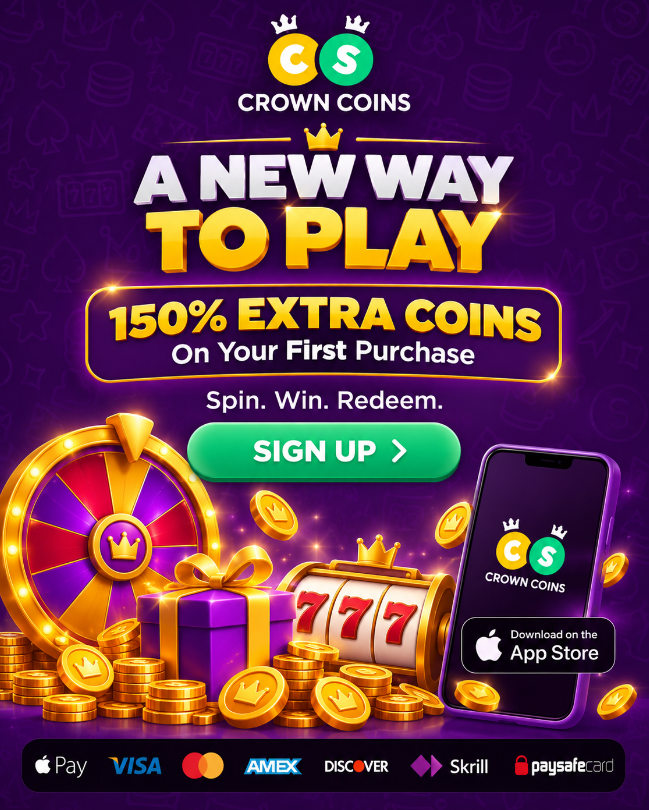
Purchase promotions can modify the value of an eligible Crown Coins offer without changing the underlying purchase process. A first-purchase promotion has been published with at least 150% extra coins, while the applicable package and promotional period can vary.
Wheel of Deals is another purchase-related mechanic. When an eligible wheel deal or account offer applies, the wheel can display an extra promotional percentage for a qualifying purchase.
The wheel result applies to the associated qualifying purchase offer. Merely spinning Wheel of Deals does not directly credit Sweeps Coins to the account.
The first-purchase promotion and Wheel of Deals should therefore be treated as separate promotional conditions attached to eligible purchase offers rather than as permanent properties of every Crown Coins package.
Buying Crown Coins vs. Redeeming Sweeps Coins
Buying Crown Coins and redeeming Sweeps Coins are different account actions involving different balances. A successful coin-package payment credits CC for social gameplay. Crown Coins cannot be converted into Sweeps Coins.
Eligible prize redemption instead concerns qualifying redeemable SC. The ordinary SC redemption path requires at least 50 redeemable SC together with the applicable account, jurisdiction and verification conditions.
A Crown Coins purchase is not required simply to make an eligible SC prize redemption possible. If eligible sweepstakes gameplay produces sufficient redeemable SC and the other redemption requirements are met, the redemption rules apply independently of whether the player previously purchased CC.
The separate SC prize redemptions process covers redemption methods, approval timing, request status and cancellation after a player has qualifying redeemable Sweeps Coins.
Frequently Asked Questions
How Do I Buy Crown Coins at Crown Coins Casino?
Sign in, select Buy from the menu or use the account balance at the top of the interface, choose an eligible Crown Coins package and select an available payment method. Crown Coins are credited automatically after successful payment processing.
Which Payment Methods Can I Use to Buy Crown Coins?
Captured payment examples include Visa, Mastercard, American Express, Skrill, Apple Pay, Google Pay and PayNearMe. Actual availability depends on the account, state, device and checkout.
Can I Pay Cash with PayNearMe?
Eligible U.S. players can use PayNearMe at participating retail locations. Captured store examples include 7-Eleven, CVS, Walgreens and Family Dollar. Store and ZIP-code availability can vary.
How Long Is a PayNearMe Barcode Valid?
The PayNearMe cash-payment barcode expires 2 hours after the payment session begins.
How Long Does PayNearMe Take to Settle?
Provider settlement is estimated at approximately 15 minutes after the cash payment is completed. This is an estimate rather than a guaranteed processing time.
Can I Use Someone Else’s Card or Payment Account?
No. The payment method must be legally and beneficially owned by the player and match the Crown Coins Casino account name. For card purchases, the billing address should also match the account address.
What Happens If the Payment Method Does Not Match My Account?
Using a third-party or mismatched payment instrument may lead to account suspension and a request for proof that the player owns the payment method.
What Should I Do If Purchased Crown Coins Are Missing?
If the purchase completed but the CC are not shown, check Funds History. A missing credit from a completed purchase can then be reported to customer support.
Is Buying Crown Coins the Same as Redeeming Sweeps Coins?
No. A successful package purchase credits Crown Coins, which are social-play coins and cannot be converted into SC. Prize redemption uses qualifying redeemable Sweeps Coins under a separate set of eligibility and verification rules.